

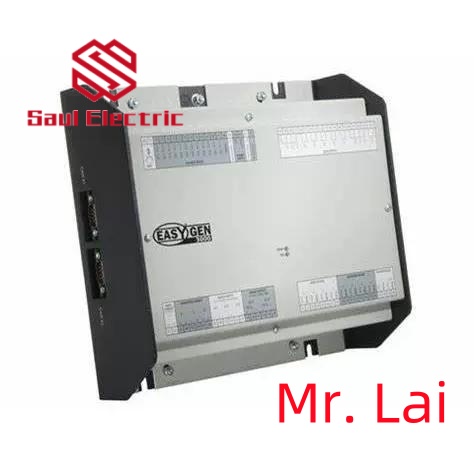
Woodward 5464-843 505 Turbine Control | 100% Original
1.5464-843 Product Overview

The Woodward 5464-843 belongs to the 505/505E series digital turbine controllers. It is a microprocessor-based control module designed for single-valve steam turbines,
including single extraction/admission systems or split-range actuator configurations.
The controller features a front panel Operator Control Panel (OCP) with a two-line, 24-character display and multi-function keypad, allowing easy on-site configuration and monitoring.
2. 5464-843 Technical Specifications and Parameters
| Parameter | Details |
|---|---|
| Power Supply | +24 VDC, approx. 1 A |
| I/O Outputs | Discrete Outputs: 8 Analog Outputs: 6 Actuator Outputs: 2 |
| Display / HMI | Two-line, 24-character LCD, with multi-function keypad |
| Dimensions | Approx. 14 × 11 × 4 in (35.6 × 27.9 × 10.2 cm) |
| Weight | Approx. 9.11 lbs (4.13 kg) |
| Operating Temperature | –4 to +140 °F (–20 to +60 °C) |
| Storage Temperature | –40 to +185 °F (–40 to +85 °C) |
| Humidity Standard | 95% RH at 20-55 °C for 48 hours without damage |
| Protection Class | Typically meets industrial dust and water protection standards |
| Communication Protocol | Supports Modbus, RS-232 / RS-422 serial interfaces |

3. Brand History
Woodward, Inc., founded in 1870 and headquartered in Fort Collins, Colorado, USA, is a global leader in energy control systems. The company has a long history of innovation in turbine control, engine management,
and power generation systems.
Woodward products are widely recognized for their reliability and precision in demanding industrial and power generation applications.
4. Applications in Industrial Automation
The 5464-843 plays a critical role in industrial automation and power generation environments:
- Steam Turbine Control: Manages startup, speed regulation, and extraction/admission control of steam turbines.
- Power Generation Systems: Used in power plants to regulate turbine-driven generators for stable frequency and load management.
- Compressor and Pump Drive Control: Ensures precise speed control for turbine-driven compressors and pumps.
- Process Industry Applications: Applied in chemical plants, refineries, and other industries requiring precise turbine operation.
- Safety and Protection Functions: Includes overspeed protection, critical speed avoidance, actuator travel limits, and event logging for operational safety.

4、 Installation and Update of Drivers
1. Installing Drivers: Typically, the operating system automatically recognizes hardware devices and installs
the corresponding drivers. But in some cases, users may need to manually install the driver. At this point, users
can visit the official website of the hardware device manufacturer to download and install the latest drivers.
2. Updating Drivers: In order to ensure the performance and compatibility of hardware devices, hardware device
manufacturers will regularly release driver updates. Users can check and update drivers through the device manager
of the operating system or the official website of the hardware device manufacturer.
5、 Fault diagnosis and troubleshooting of drives
1. Common symptoms of drive failure: device failure to recognize, device performance degradation, device malfunction, etc.
2. Fault diagnosis method:
a. Check device connection: Ensure that the hardware device is properly connected to the computer.
b. Check drive version: Confirm if the drive is the latest version, if not, try updating the drive.
c. Check operating system compatibility: Ensure that the drive is compatible with the operating system.
d. Check hardware devices: If possible, try connecting hardware devices to another computer to eliminate the
possibility of hardware device failure.
3. Troubleshooting methods:
a. Reinstall drive: Try uninstalling and reinstalling the drive.
b. Roll back the drive: If there are problems after updating the drive, you can try rolling back to the previous version of the drive.
c. Check hardware devices: If you suspect a problem with the hardware device, you can try replacing it or
contact the hardware device manufacturer for technical support.
d. System restore: If the malfunction is related to the operating system, you can try using the system restore function to restore to the previous state


There are no reviews yet.